FOLLOW US
*****Basic Structure of a JavaScript/Html
program*****
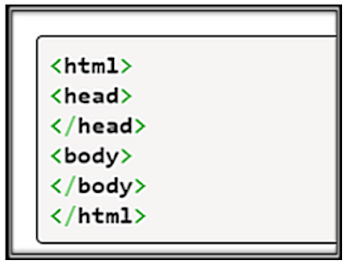
Every
JavaScript program takes the basic structure below, where we set all the html
tags. Notice that the script
tag is
placed inside the body of the html (this can also be placed in the head). Also
notice the other html elements in the body part of the program, those are
the elements that are displayed on the web page.
<!DOCTYPE
html>
<html>
<head>
<meta
charset="utf-8">
<title>
INTRODUCTION TO JAVASCRIPT</title>
</head>
<body>
<img
id="source_image" alt=".." />Original Image
<input type='button' id='change'
value="changecolor" />
<input type='button' id='result'
value="get_Result" onclick=""/>
<script>
</script>
</body>
</html>
----Basic
structure of html components
To
create your first code:
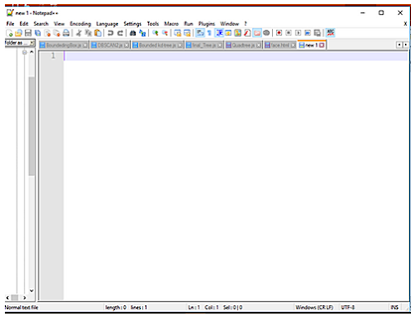
----Open
you desired text editor (Notepad++ in our example)
-----Add
all HTML tags and elements.
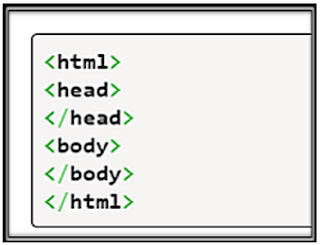
-----Add
a script tag to the HTML head or body.

To
do so, insert
a
<script
language="JavaScript"> tag
in
the head or in the body.
This
tells the text editor that you'd like to use JavaScript language to write your
HTML JavaScript “program”.
Add
the script tag: If
you want the script to automatically run when the site loads, don't include a
function. If you want to call your script (maybe using a button or label), then
include a function.
-----•Call
up Another JavaScript scripts using a JavaScript function.
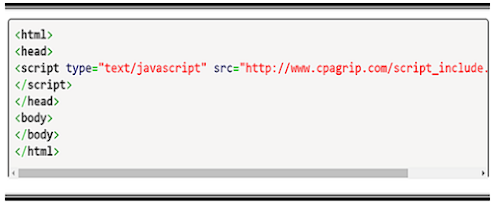
You can also call another script If you know where the script file
can be found, add a src= property to the script tag and
include the complete web address or file path for the JavaScript file.
•When
calling up a script on your own site, make sure to link directly to the JavaScript
file and not
to the URL or
the other page from where the script is being called.
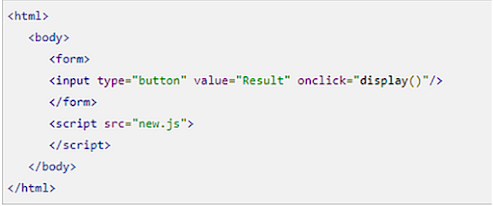
<script
type="text/JavaScript" src = “Point" > </script>
-----Save
the html file (using any file name with .html extension)
-----Run
it by double clicking on the file name at the file location
CCONTINUE READING - RUNNING EXTERNAL FILES
Watch
Video


 FOLLOW US